
Orphan Links – The Hidden Website Problem That Affects Traffic and SEO
Nowadays, every website owner wants their website to be fast, user-friendly, and search engine friendly. But often there is a hidden problem that people ignore. This problem is Orphan Links or orphan pages.
If you are new to the website world, this term may sound unfamiliar. But this small problem can affect your website’s traffic and SEO ranking.
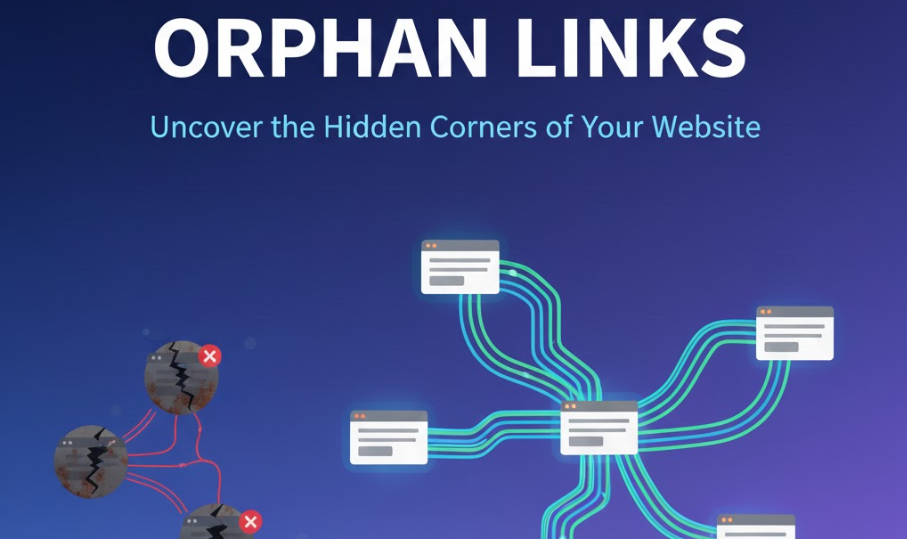
What Are Orphan Links?
In simple words, Orphan Links are pages that exist on your website, but they are not linked from any other page. This means visitors or search engine crawlers cannot reach these pages easily. You can use our orphan link checker tool to track your links.
For example, if you wrote an article called “10 Easy Travel Tips” and you didn’t link it from your homepage or related articles, it becomes an orphan page. Such pages cannot rank in SEO and your content goes to waste.
Related keywords you can notice here:
- Unlinked pages
- Hidden pages
- Internal linking problem
- Broken links
It seems simple, but on large websites, this problem is very common, especially when new pages are frequently added.
Problems Caused by Orphan Links
Orphan links create multiple issues:
- SEO Effect – If pages are orphaned, search engines cannot crawl or index them. This means your content will not appear in Google search.
- Traffic Loss – Visitors miss important content because these pages are not accessible.
- Bad User Experience – If website navigation is not smooth, visitors can get frustrated.
- Content Waste – Efforts put into creating content go wasted if it remains orphaned.
How to Identify Orphan Links
To solve this problem, you can use a tool like Orphan Link Checker. This tool scans your website and tells you which pages are orphaned or unlinked.
Simple steps:
- Enter your website URL in the tool
- Start the scan
- The tool generates a report – showing orphan pages, broken links, and crawl issues
The report will tell you exactly which pages are inaccessible. Manual checking is also helpful, like checking old blog posts or forgotten category pages.
Easy Ways to Fix Orphan Links
Once you know which pages are orphaned, fixing them is easy:
- Add Internal Linking – Link these pages from your homepage or related posts. Internal linking makes pages accessible and crawlable.
- Update Content – If the content is old, update it and add links. This also helps SEO.
- Check Navigation and Menu – Make sure all pages are accessible. Sometimes links are missed in menus.
- Regular Scans – Scan your website every month or two to identify new orphan pages.
Tips:
- When adding new pages, automatically link them from relevant pages
- Include unlinked pages in the related posts section
- Fix broken links along with orphan links
Benefits of Fixing Orphan Links
- Improves SEO – Search engines can crawl and index pages easily
- Increases Traffic – Visitors can find important pages easily
- Website Structure Looks Clean – Proper internal linking improves overall structure
- Better Visitor Engagement – Users spend more time and read related content
If ignored, small orphan pages can have a cumulative effect and negatively impact your website ranking and traffic in the long run.
Connection Between Orphan Links and Broken Links
Orphan links and broken links often create problems together. If a page is orphaned and its links are broken, both visitors and search engines get frustrated.
Fixing tip:
- First, identify orphan pages
- Then fix internal linking and broken links
- Plan content strategy so pages do not become orphan in the future
SEO Impact of Orphan Links
- Crawlability – Search engine bots cannot crawl orphan pages
- Indexing – Google does not rank unindexed pages
- Page Authority Loss – Orphan pages do not get link juice
- Lower Traffic – Less visibility means less organic traffic
A website with strong internal linking and no orphan pages naturally improves SEO.
FAQs About Orphan Links
Q1. Are all orphan pages bad for SEO?
A: Yes, because they are inaccessible to search engines and users.
Q2. Can only tools identify orphan links?
A: Mostly yes, but manual checking is also helpful, especially on large websites.
Q3. Will pages rank instantly after fixing orphan links?
A: No, after fixing, it may take time for indexing and ranking. Keep updating content and internal linking regularly.
Conclusion
Orphan Links may seem small, but they affect website traffic, SEO, and user experience in the long term. Using tools like Orphan Link Checker, you can easily identify and fix them.
Small steps and a strong internal linking strategy make your website strong, professional, and search engine friendly. Every page should be accessible and crawlable so that content does not go to waste and ranking improves.
💡 Extra Tip: Maintain a balance in internal linking and also fix broken links to ensure both SEO and user experience are optimized.